Table of Contents
By morning, your eyes may feel fine. By afternoon, they can feel dry, blurry, tired, or harder to focus, especially if you have been moving from a laptop to a phone to another screen without many real breaks. That is exactly why National Healthy Vision Month, observed each May, is a good time to pay closer attention to habits that affect your eyes every day.
The 20-20-20 rule is one of the simplest ways to reduce digital eye strain. It works best when you use it along with better blinking, a more comfortable screen setup, and regular breaks that give your eyes a chance to reset instead of staying locked into close focus for hours.
What is the 20-20-20 Rule?
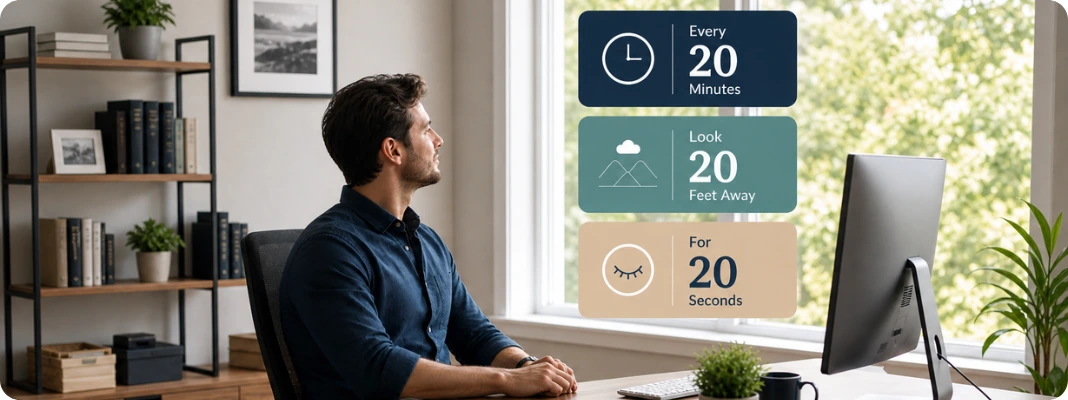
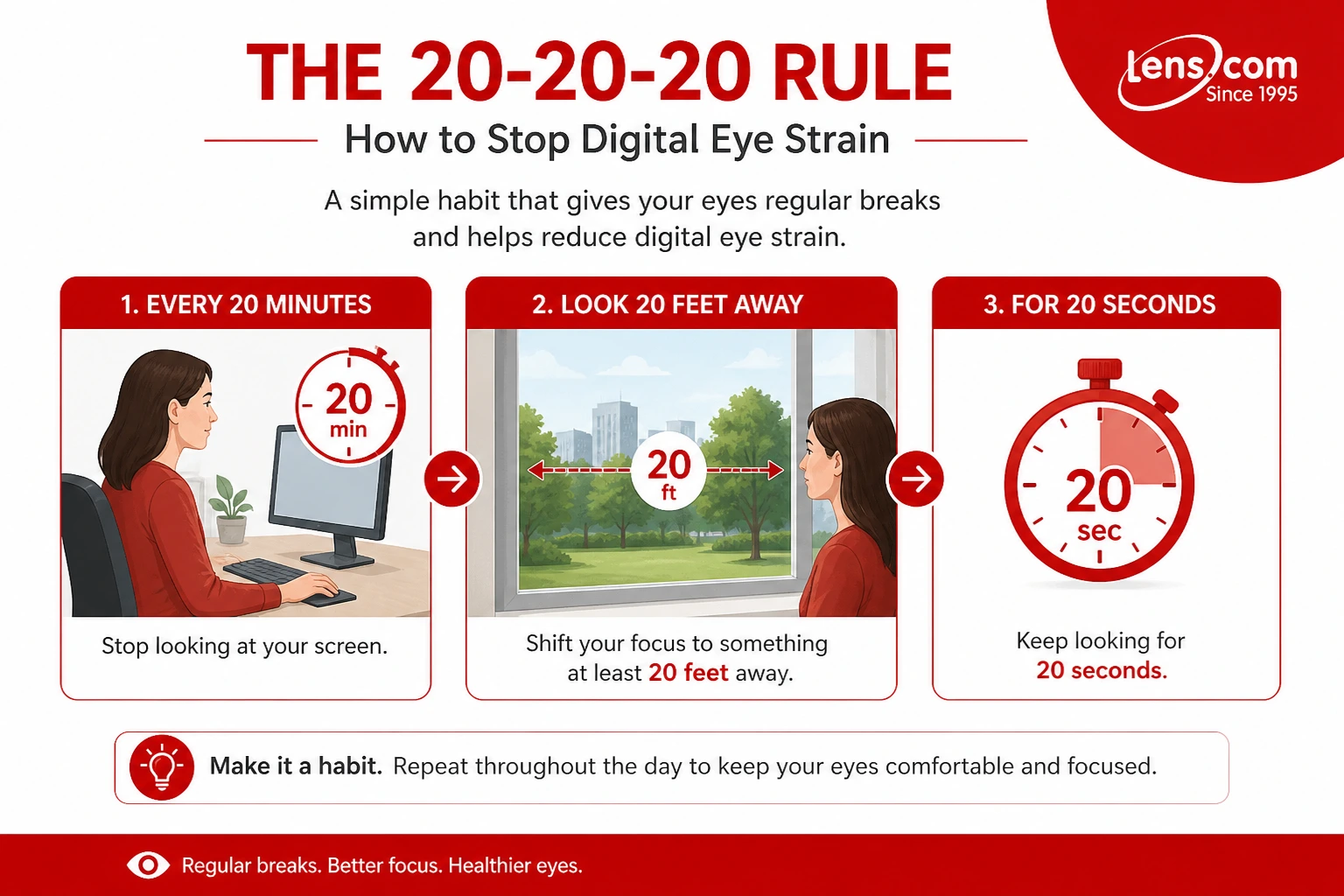
The 20-20-20 rule means that every 20 minutes, you look at something at least 20 feet away for 20 seconds. The purpose is to give your focusing system a short break from sustained near work and give your eyes a chance to blink more normally again.
This habit is mainly used to ease digital eye strain, also called computer vision syndrome. It can help with symptoms like eye fatigue, dry eyes, blurry vision, and discomfort that builds up when you spend long stretches reading, working, gaming, or scrolling on screens.
People keep using this rule because it is short, practical, and easy to hold in your head during a busy day. You do not need any equipment, and you do not need to stop working for long. You need a regular pattern of screen breaks that interrupts nonstop close-up focus before eye strain symptoms pile up.
What Is Digital Eye Strain?
Digital eye strain and computer vision syndrome are often used interchangeably. Both terms describe eye- and vision-related problems that happen after prolonged use of computers, tablets, e-readers, smartphones, and other digital screens.
You may notice it as tired eyes, dry eyes, trouble focusing, blurry vision, or headaches from screen time. Some people also feel soreness around the eyes, while others notice neck, shoulder, or upper-back discomfort from the way they sit and lean toward a screen.
Wondering why your eyes feel fine in the morning but crash by afternoon? Learn how to manage screen time so your daily habits support less strain and better comfort.
Why Screens Stress Your Eyes More Than Print
Screens make your eyes work differently from printed pages. Digital text is built from pixels, so your eyes keep making small focusing adjustments to hold the image clear. Glare, reflections, low contrast, small text, and poor viewing distance can add even more strain, especially when the screen is too bright or too dim, or is placed in the wrong spot.
That is why eye strain from computer screen use often feels different from reading a printed book. A phone can feel even worse because the screen is smaller and is usually held closer to your face, which increases the demand on near focus and makes dry eyes from screen time more noticeable when you blink less.
Why Symptoms Get Worse Later In The Day
Digital eye strain usually builds over time instead of hitting all at once. Your eyes may feel normal early in the day, then turn dry, tired, or harder to refocus after hours of close work. One reason is blinking. People normally blink around 15 times per minute, but that rate can drop sharply during screen use, which leaves the eye surface drier and more irritated.
That pattern is also why symptoms often feel worse after work, gaming, or long phone use at night. Your focusing system has been working at close range for hours, your blink rate has slowed, and your eyes have had very little distance viewing. That is where the 20-20-20 rule for digital eye strain can help by breaking up the strain before it keeps building.
Do your eyes feel dry even when they water during long screen sessions? Understand whether eye drops can worsen dry eye symptoms so you choose relief that helps, not backfires.
How to Do the 20-20-20 Rule Correctly
Every 20 Minutes
The 20-20-20 Rule means that every 20 minutes, you stop looking at your screen and shift your focus to something in the distance. It is a simple way to break up long stretches of close work before your eyes become overworked. You do not need to time it perfectly every single time. The goal is to make regular screen breaks part of your routine so your eyes don’t spend hours on the same close-up task without rest.
Look 20 Feet Away
The “20 feet” part matters because that distance gives your focusing system a chance to relax. When you look far away, your eyes no longer have to hold the same near-focus effort they use for a phone, laptop, or tablet. In practical terms, that means looking out a window, across a room, down a hallway, or toward anything clearly farther away than your screen. The point is to give your eyes a real distance break, not just shift from one nearby object to another.
For 20 Seconds
Twenty seconds gives your eyes enough time to actually settle. A glance away from the screen is better than nothing, but it usually is not long enough for your focusing system to fully ease up. Holding the break for the full 20 seconds gives your eyes a better chance to relax, blink more naturally, and feel less dry or strained. That is one reason the 20-20-20 Rule can help relieve eye strain, especially when your symptoms appear as tired, dry, or unfocused eyes.
How to Remember the 20-20-20 Rule
The hard part is not following the 20-20-20 Rule. The hard part is remembering it when you are deep in work, gaming, reading, or scrolling. That is why 20-20-20 Rule reminders work best when they fit into something you already do.
Try one of these simple cues:
- Set a quiet phone or smartwatch timer to go off every 20 minutes.
- Use a screen-break app or browser reminder during work hours.
- Place a sticky note on your monitor that says, “20 minutes, 20 feet, 20 seconds.”
- Use natural stopping points, such as after a meeting, after two emails, or after one game round.
- Pair your break with a few full blinks or a sip of water.
If every 20 minutes feels unrealistic at first, start smaller. Use the rule during the busiest screen-heavy part of your day, then build from there. The goal is not perfection. The goal is to make screen breaks automatic before eye fatigue, dry eyes, or blurry vision start to pile up.
How the 20-20-20 Rule Helps Stop Digital Eye Strain
1. It relaxes near-focus eye muscles.
When you look at a screen for long stretches, your eyes stay locked into near focus. The 20-20-20 rule interrupts that pattern. Looking at something in the distance gives your focusing system a short rest, which can help ease the tired, strained feeling that builds during prolonged close work. Research reviews on digital eye strain also describe sustained accommodation and convergence as part of why screen use can become uncomfortable over time.
This is one reason the rule is tied so closely to reducing eye strain. It is not just about looking away for the sake of it. It is about giving the eye muscles that handle close focus a chance to relax before they stay under tension for hours..
2. It helps restore blinking and tear-film comfort
Screen use affects more than focus. It also changes the way you blink. Eye-care guidance consistently notes that people blink less often while using digital devices, and that a lower blink rate can leave the eye surface drier and more irritated. That is why dry eyes from screen time so often go hand in hand with eye fatigue and blurry vision.
A short distance break can help you blink more normally again. That matters because blinking spreads tears across the front of the eye and helps stabilize the tear film. If your eyes burn, feel gritty, or get harder to focus as the day goes on, this part of the rule may be just as helpful as the focusing break itself.
Do your lenses feel filmy or hazy after staring at a screen all day? Learn why contact lenses get foggy so you can spot dryness and buildup early.
3. It works best as a habit, not a one-time fix
The rule helps most when you use it before symptoms pile up. If you wait until your eyes already hurt, one short break may not feel like much. The real benefit comes from repeating those breaks throughout the day, so your eyes are not stuck in nonstop near work. That is why eye-care organizations recommend regular breaks instead of a single long break after hours of screen use.
Think of it as maintenance, not rescue. The 20-20-20 rule for digital eye strain is a good daily habit, especially when paired with more frequent blinking, a better screen distance, and reduced glare. On its own, it may not resolve every symptom, but it gives your eyes many more opportunities to recover throughout the day.
Does the 20-20-20 Rule Work?
Yes, the 20-20-20 rule can help, especially if your eyes feel tired, dry, or hard to focus after long screen sessions. Research on the exact formula is mixed, but regular visual breaks are still widely recommended because they reduce nonstop near-focus effort and give your eyes a chance to reset.
That matters because digital eye strain usually builds from several factors: prolonged close work, reduced blinking, dry-eye symptoms, glare, and screen habits that keep your eyes under stress for too long. A short break every 20 minutes can help ease some of that strain, even if it is not a complete fix for every symptom.
The most useful way to think about the rule is as a helpful daily habit, not a cure-all. If you pair it with better blinking, a more comfortable screen setup, and regular eye exams when symptoms keep recurring, it can be a simple, realistic way to get more eye-strain relief during the day.
More Ways to Stop Digital Eye Strain Fast
The 20-20-20 rule is a strong first step, but it works even better when paired with small comfort fixes. If your eyes already feel tired, dry, or heavy, use this quick reset before you go back to your screen.
1. Blink more often
People often blink less during screen use, which is one reason screen time-related eye strain and dryness often appear together. Mayo Clinic notes that blinking helps moisten and refresh the eyes, so making a habit of full blinks can help during long computer sessions.
A quick trick: close your eyes gently for two seconds, open them, then blink a few times slowly. This is not a replacement for digital eye strain treatment if symptoms keep coming back, but it can give you fast comfort during a long day.
2. Use artificial tears when needed
If your eyes feel gritty, irritated, or watery after hours of screen use, lubricating drops may help. Choose artificial tears rather than redness-relief drops for routine dryness, since redness-relief drops aren’t meant to be your everyday solution for screen-related discomfort. Mayo Clinic lists artificial tears as a home care option for preventing and relieving dry eyes.
If you wear contact lenses, check that your drops are contact-lens safe. If you need drops often, ask your eye doctor whether your lens material, fit, tear film, or wearing schedule needs adjustment.
3. Clean your screen and reduce glare
Fingerprints, dust, bright overhead lights, and window reflections can make your eyes work harder than they need to. A clean screen, softer room lighting, and a better desk angle can make reading easier, especially if you experience eye strain from computer use all day.
You can also try moving your monitor so it is not facing a bright window, closing blinds, using a task lamp instead of a harsh overhead light, or adding an anti-glare screen filter if reflections are hard to control.
4. Take breaks from contact lenses
Contacts can feel less comfortable when your blink rate drops. If your lenses feel dry, filmy, or sticky after long screen sessions, give your eyes a break by switching to glasses when possible.
This is especially helpful if you work late, game for long stretches, or notice eye strain from reading on screens while wearing contacts. If your lenses feel uncomfortable in the afternoon, do not just push through. Your eye doctor can check whether a different lens design, replacement schedule, or dryness plan would suit you better.
Not sure how long is too long to keep contacts in on a screen-heavy day? Check how long you can wear contact lenses safely so you know when a glasses break makes sense.
5. Get an updated prescription
An outdated prescription can make computer eye strain worse. Even a small amount of uncorrected farsightedness, astigmatism, focusing trouble, or contact lens blur can become more noticeable when you stare at a screen for hours.
The American Optometric Association notes that uncorrected or under-corrected vision problems can contribute to computer vision syndrome symptoms, and some people may need lenses designed for computer viewing distances.
Want a fuller step-by-step routine for screen fatigue beyond the quick reset list? Follow how to relieve computer eye strain so you can stack small fixes that actually feel noticeable.
How to Reduce Digital Eye Strain at Home and Work
A lot of digital eye strain comes down to how long you look at a screen, how close you are to it, how often you blink, and how comfortable your setup is. Small changes in your workspace can make screen use easier on your eyes and can also reduce neck and shoulder tension that often accompanies computer eye strain.
Screen Distance and Monitor Height
Your screen should usually sit about an arm’s length away, which is roughly 20 to 28 inches for many people. It also helps to place the monitor so the center is a little below eye level, or with the top of the screen at or just below eye level, so your eyes naturally angle slightly downward instead of opening wide and drying out more.
This matters because screen viewing is not the same as reading print. If the monitor is too close, too high, or off to the side, your eyes and posture both work harder than they need to. If you use printed notes while working, keeping them close to the screen can also reduce the frequency of eye refocusing and head turning.
Best Lighting and Glare Control
Lighting can either make screen work easier or make it much harder. Bright overhead light, sunlight from a window behind you, or glare on the screen can all make eye strain symptoms worse. Curtains, blinds, a different desk angle, lower-wattage task lighting, or an anti-glare screen cover can all help if reflections are part of the problem.
A softer, more balanced room setup usually feels better than a screen that is fighting the room around it. If your screen is the brightest thing in sight, or if it is covered with reflections, your eyes will spend the day working around that instead of simply reading what is on the screen.
Text Size, Contrast, and Brightness
If you catch yourself squinting, leaning in, or feeling tired after reading on a screen, make the text larger. Increasing font size, improving contrast, and adjusting brightness so the screen matches the room more closely can all reduce eye strain from screen time. Reading dark text on a lighter background is often more comfortable than forcing your eyes to deal with poor contrast for hours.
This is one of the easiest fixes to miss because it feels minor. But if the text is small and the contrast is weak, your eyes spend the whole day compensating. That is one reason blurry vision and tired focusing tend to occur more often after long screen sessions.
Why Blinking On Purpose Helps
People blink less when they look at screens. That drop in blinking leaves the surface of the eye drier, increasing the likelihood of burning, irritation, and dry eyes from screen time. Making a conscious effort to blink fully during work can help refresh the tear film and reduce that dry, gritty feeling that builds during the day.
This is especially useful if your symptoms are primarily eye dryness rather than eye pain. A quick break, a few full blinks, and a change in focus can go a long way when your eyes feel tired, but you still have more screen time ahead of you.
When Artificial Tears Help
If your eyes feel dry, irritated, or watery during or after screen use, nonprescription artificial tears may help. They are often used to prevent or relieve dryness, especially if your blink rate drops during work or you spend hours in air conditioning or low-humidity spaces.
Use them to support comfort, not to ignore symptoms that keep returning. If you need drops often, preservative-free tears may be a better option, and redness-relief drops are usually not the best everyday answer for dry-eye symptoms. If dryness, computer vision syndrome symptoms, or discomfort keep coming back despite breaks and lubrication, an eye exam is worth it.
Unsure which drops you can use while your contacts are still in? Confirm whether you can use eye drops with contact lenses so you time them safely and avoid irritation.
Best Contact Lenses to Feature for Digital Eye Strain
Contact lenses cannot “treat” digital eye strain, but the right lens can make long screen days feel more comfortable, especially if dryness, blur, or tired focusing tends to build by afternoon.
1. ACUVUE OASYS MAX 1-Day
ACUVUE OASYS MAX 1-Day is a premium daily disposable lens made for modern, screen-heavy days. It uses TearStable Technology for moisture management and an OptiBlue Light Filter to enhance visual clarity in bright, high-glare, and digital environments. It is a strong fit if you want daily contact lenses that provide all-day comfort, clear vision, and reduced end-of-day lens awareness during long device use.

Choose ACUVUE OASYS MAX 1-Day if you want a premium daily lens for long screen sessions, office work, and evening device use
2. MyDay Energys
MyDay Energys is one of the clearest matches for contact lenses for digital eye strain, as CooperVision specifically positions it for eye fatigue and dryness associated with digital device use. It features DigitalBoost Technology, a single-vision aspheric design with a +0.3D boost that helps reduce tiredness from screen viewing. It also uses Aquaform Technology to lock in water, which can help your eyes feel less dry when you blink less often at a screen.
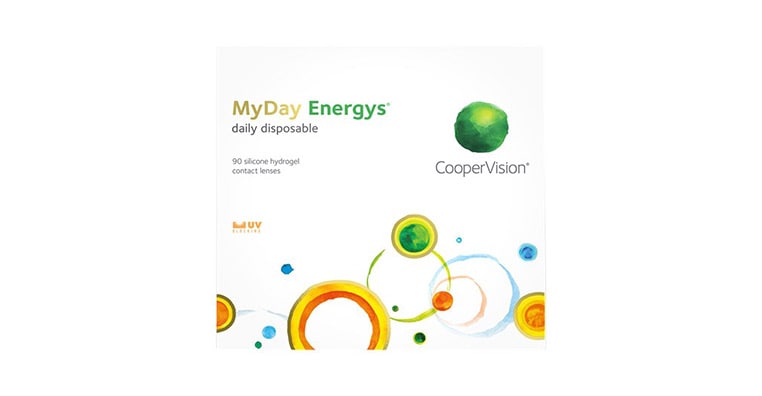
Pick MyDay Energys if your eyes often feel tired, dry, or strained after switching between your phone, laptop, and desktop all day.
3. Biofinity Energys
Biofinity Energys is a monthly contact lens made for people who regularly shift focus between screens and off-screen activities. It also uses DigitalBoost Technology to help reduce eye fatigue associated with digital device use, plus Aquaform Technology to help eyes feel less dry when using screen-viewing drops. It is a practical option if you prefer monthly contact lenses but still want a lens designed for a digital lifestyle.

Buy Biofinity Energys when you want a monthly lens for screen-heavy workdays, digital fatigue, and steady all-day comfort.
4. Bausch + Lomb ULTRA
Bausch + Lomb ULTRA is a monthly lens with a strong dryness and comfort story for digital-device users. It uses MoistureSeal Technology, and Bausch + Lomb states that the lens maintains 95% of its moisture for a full 16 hours. That makes it a good fit if your main screen-time complaint is dry, uncomfortable lenses near the end of the day.

Try Bausch + Lomb ULTRA if you wear monthly lenses and want moisture-focused comfort for long hours on digital devices.
5. PRECISION1
PRECISION1 is a daily disposable lens designed for comfort, clear vision, and easy handling. Its SMARTSURFACE Technology keeps moisture on the lens surface, and Alcon reports the lens provides outstanding comfort for up to 16 hours in a clinical study. It fits readers who want a simple, fresh-pair-every-day routine for work, school, scrolling, and other screen-heavy routines.
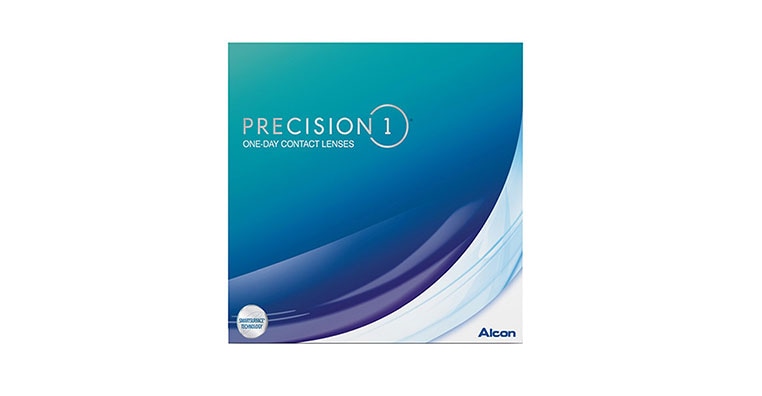
Check out PRECISION1 if you want a comfortable daily lens that feels simple, fresh, and dependable for long digital days.
Ordering contacts online after you update your prescription, and worried you will mix up the details? Know how to read contact lens prescriptions (OD vs. OS) so you enter each eye correctly before you check out.
Important Reminder: Contact lenses can improve comfort and clarity, but they do not replace healthy screen habits or an eye exam. If your eyes stay dry, red, blurry, painful, or hard to focus, ask your eye doctor to check your prescription, lens fit, tear film, and overall eye health before switching lenses.
When Should You See an Eye Doctor for Digital Eye Strain? Most digital eye strain ge
Most digital eye strain gets better with smarter screen habits, better lighting, more blinking, and regular breaks. But if your symptoms keep coming back, after you stop using screens, or start affecting your work, driving, reading, or contact lens wear, it is time to book a full eye exam.
Symptoms That Should Not Be Brushed Off
Do not ignore eye discomfort just because you spend a lot of time on screens. These can be short-term, but they still deserve attention if they keep showing up day after day. You should schedule an exam if you notice:
- Dry, burning, gritty, or watery eyes that keep returning
- Headaches after screen use
- Redness, irritation, or light sensitivity
- Heavy eyelids or eye fatigue that affects your focus
- Blurry vision from screen time that does not clear after a break
- Neck, shoulder, or posture pain linked to computer use
If your eyes feel better after one screen-free evening, you may need better habits. If the same symptoms return every workday, your eyes are telling you something needs to be checked.
When Blurry Vision, Double Vision, or Pain Need An Exam
Blurry vision after a long laptop session can result from eye strain from computer screen use, especially when you are tired, blink less, or work with small text. Blurry vision that persists, keeps getting worse, or happens even when you are not using screens should be evaluated.
Book an eye exam sooner if you have:
- Blurry vision that does not improve after rest
- Double vision, even if it comes and goes
- Eye pain, pressure, or strong light sensitivity
- Sudden changes in vision
- New headaches with vision changes
- Symptoms in only one eye
The 20-20-20 rule is helpful for routine strain, but it is not a substitute for a medical exam when symptoms feel unusual, intense, or persistent.
Why Annual Eye Exams Matter for Screen Users
If screens are part of your daily routine, an annual eye exam is a smart habit. The AOA specifically recommends that computer users have a comprehensive eye exam annually.
A full eye exam does more than update your prescription. It can check how well your eyes focus, how they work together, whether dry eye is contributing to your discomfort, and whether your glasses or contacts match your real screen routine. That is especially useful if you work at a desk, study online, game for long periods, or switch between multiple devices every day.
Mention your screen habits during the visit. Tell your eye doctor how many hours you spend on screens, which devices you use, how far your monitor is from your eyes, whether you wear contacts, and when symptoms usually start. Those details can help your doctor recommend a setup, prescription, or lens option that matches your actual day-to-day distance, not just a standard reading distance.
Want a quick guide to lens features that can feel better on long device days? Explore contact lenses that can make screen time more comfortable, so you know what to ask your eye doctor about.
Make the 20-20-20 Rule Your Healthy Vision Habit
Make the 20-20-20 rule your starting point this National Healthy Vision Month. Start today: every 20 minutes, look at something at least 20 feet away for 20 seconds. Use that short break to blink fully, relax your focus, and notice whether your screen setup is helping or hurting your comfort.
For the best results, pair the rule with small fixes you can make this week. Move your screen to a comfortable distance, reduce glare, enlarge text if you keep squinting, use artificial tears when dryness is an issue, and check whether your contacts still match your daily screen routine.
If symptoms keep coming back, schedule an eye exam so your eye doctor can check your vision, eye health, prescription, and contact lens fit.
FAQs About 20-20-20 Rule and Digital Eye Strain
What is the 20-20-20 rule for digital eye strain?
The 20-20-20 rule means that every 20 minutes, you look at something at least 20 feet away for 20 seconds. It gives your focusing system a short break from close-up screen work and helps you blink more normally again, which can ease digital eye strain symptoms like tired eyes, dryness, and blur.
Does the 20-20-20 rule actually work?
Yes, it can help, especially when your symptoms come from long stretches of near focus, reduced blinking, glare, or poor screen setup. The exact numbers are not magic, but regular screen breaks are widely recommended because they interrupt nonstop close-up work and give your eyes a chance to reset.
Why do screens make my eyes hurt?
Screens can make your eyes hurt because you blink less, stare longer, focus at the same close distance for too long, and deal with glare, brightness, small text, or poor contrast. These habits can lead to computer vision syndrome, which may cause eyestrain, headaches, dry eyes, blurry vision, and neck or shoulder discomfort.
Can digital eye strain cause permanent damage?
Digital eye strain is uncomfortable, but it usually does not cause permanent eye damage. Still, symptoms should not be ignored if they keep coming back, worsen, or include eye pain, double vision, or vision changes.
Why do my eyes hurt more from monitors than from phones?
A monitor can bother your eyes if it is too close, too high, too bright, covered in glare, or used for hours without breaks. Phones can also be hard on your eyes because they are often held closer, but monitors may cause more noticeable discomfort when you sit in one position for long periods, squint at small text, or work under harsh lighting.
How far is 20 feet if you are indoors?
Indoors, 20 feet is roughly the distance across a medium-sized room, down a hallway, or toward something outside a window. You do not need to measure it perfectly. The goal is to look far enough away that your eyes are no longer locked onto your phone, laptop, or desktop screen.
How do you remember to do the 20-20-20 rule?
Set a recurring timer, use a screen-break app, attach the habit to a task you already do, or use natural reminders like finishing an email, ending a meeting, or refilling your water. If you keep forgetting, start with one part of your day, such as your first two hours at work, then build from there.
What are the best ways to stop digital eye strain fast?
Start with a 20-second distance break, blink fully several times, adjust screen brightness, enlarge small text, and reduce glare. If your eyes feel dry, artificial tears may help, and taking eye breaks, adjusting lighting, and improving your computer setup can also reduce eyestrain.
Do blue light glasses really help with digital eye strain?
Blue light glasses are not strongly supported for digital eye strain relief. Blue light from screens does not cause eye disease, and for most people, better breaks, blinking, screen distance, lighting, and dryness care matter more.
Can the 20-20-20 rule prevent myopia?
The 20-20-20 rule may help reduce near-work strain, but it should not be treated as a proven way to prevent myopia. For children, outdoor time and regular eye exams are still especially important, and parents should talk with an eye doctor if a child squints, holds screens very close, complains of headaches, or has trouble seeing the board at school.
Disclaimer: This content is for general informational purposes only and is not a substitute for professional advice, diagnosis, or treatment.
References
The effects of breaks on digital eye strain, dry eye and binocular vision: Testing the 20-20-20 rule. Cristian Talens-Estarelles et al. (Contact Lens and Anterior Eye). https://www.sciencedirect.com/science/article/pii/S1367048422001990. Date Accessed: May 5, 2026.
Use of digital displays and ocular surface alterations: A review. Cristian Talens-Estarelles et al. (The Ocular Surface). https://www.sciencedirect.com/science/article/abs/pii/S1542012420301518.Date Accessed: May 5, 2026.
Interventions for the Management of Computer Vision Syndrome: A Systematic Review and Meta-analysis. Sumeer Singh et al. (Ophthalmology). https://www.sciencedirect.com/science/article/pii/S016164202200361X. Date Accessed: May 5, 2026.
Digital eye strain in young screen users: A systematic review. Asimina Mataftsi et al. (Preventive Medicine). https://www.sciencedirect.com/science/article/abs/pii/S0091743523000737. Date Accessed: May 5, 2026.
Digital Eye Strain- A Comprehensive Review. Kirandeep Kaur et al. (Ophthalmology and Therapy, Springer Nature). https://link.springer.com/article/10.1007/s40123-022-00540-9. Date Accessed: May 5, 2026.
Digital Eye Strain: Updated Perspectives. Andrew D. Pucker et al. (Clinical Optometry, Dove Medical Press). https://www.dovepress.com/digital-eye-strain-updated-perspectives-peer-reviewed-fulltext-article-OPTO. Date Accessed: May 5, 2026.
Digital eye strain: prevalence and associated factors among information technology professionals, Egypt. Hanaa Abdelaziz Mohamed Zayed et al. (Environmental Science and Pollution Research, Springer Nature). https://link.springer.com/article/10.1007/s11356-021-12454-3. Date Accessed: May 5, 2026.
Eyestrain - Symptoms and causes. Mayo Clinic Staff / Mayo Clinic. https://www.mayoclinic.org/diseases-conditions/eyestrain/symptoms-causes/syc-20372397. Date Accessed: May 5, 2026.
Computer Vision Syndrome (Digital Eye Strain): What It Is. Cleveland Clinic. https://my.clevelandclinic.org/health/diseases/24802-computer-vision-syndrome. Date Accessed: May 5, 2026.